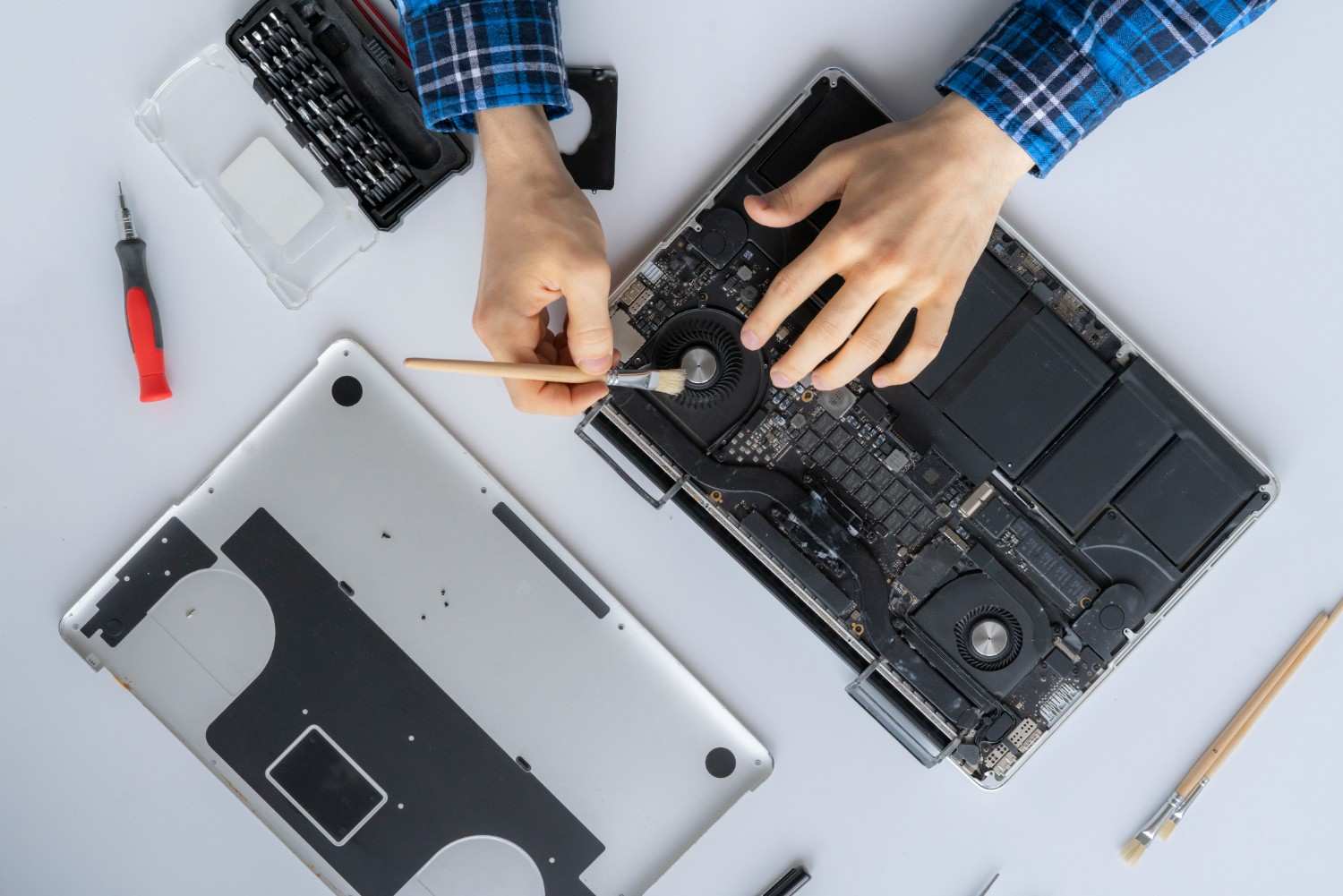
Summer Heat and Electronics: Protection Tips
How to Protect Your Devices from Heat Damage in Mountain View
Summer temperatures don't just affect people; they can also take a serious toll on your electronic devices. Whether you're using a laptop for work, relying on your smartphone throughout the day, or managing important files on a desktop computer, excessive heat can reduce performance, shorten component lifespan, and even lead to permanent hardware failure. For businesses and individuals alike, preventing heat damage is far more cost-effective than repairing or replacing damaged devices.
Unlike obvious accidents such as drops or liquid spills, heat damage often develops gradually. You may notice your laptop running slower than usual, your phone becoming unusually warm, or your computer shutting down unexpectedly. These early warning signs indicate that your device is struggling to keep its internal components within a safe operating temperature.
Mountain View and the surrounding Bay Area regularly experience warm summer days, making it even more important to protect electronics from prolonged heat exposure. Simple preventative measures; combined with routine maintenance; can significantly extend the life of your devices while improving their overall performance.
At Quick Fix Computers, we help customers throughout Mountain View, Palo Alto, Sunnyvale, Cupertino, Santa Clara, San Jose, Redwood City, and the greater Bay Area keep their devices running efficiently through professional repairs, preventative maintenance, and free diagnostics. In this guide, we'll explain how summer heat affects electronics and share practical tips to keep your devices protected.
Why Heat Is One of the Biggest Threats to Electronics
High Temperatures Put Every Internal Component Under Stress
Every electronic device generates heat during normal operation. Processors, graphics chips, batteries, and storage drives all produce heat as they work. Cooling systems; including fans, heat sinks, and ventilation; are designed to remove that heat and keep internal temperatures within safe limits.
During the summer, higher ambient temperatures make it harder for these cooling systems to do their job. As internal temperatures rise, your computer or phone may automatically reduce performance, a process known as thermal throttling, to protect sensitive components. While this safety feature prevents immediate damage, repeated overheating can gradually shorten the lifespan of your device.
Long-term exposure to excessive heat may contribute to:
Slower system performance
Unexpected shutdowns
Reduced battery lifespan
Premature hardware wear
Data corruption in severe cases
Component failure
Understanding how heat affects electronics is the first step toward preventing expensive repairs.
Which Devices Are Most Vulnerable During Summer?
Nearly Every Device Can Be Affected by High Temperatures
Although laptops often receive the most attention when discussing overheating, many different electronic devices are vulnerable to summer heat. Portable devices are especially at risk because they are frequently used outdoors, carried in vehicles, or left in direct sunlight.
Devices commonly affected include:
Windows laptops
MacBooks
Desktop computers
Gaming PCs
iPhones
Android smartphones
Tablets
External hard drives
USB flash drives
Solid-state drives (SSDs)
Each device responds differently to heat. A smartphone battery may degrade more quickly, while a laptop processor may throttle its performance. External storage devices exposed to excessive temperatures may also become unreliable, increasing the risk of data loss.
At Quick Fix Computers, we regularly diagnose heat-related issues across a wide range of devices, helping customers prevent further damage before repairs become more extensive.
Common Warning Signs Your Device Is Overheating
Catch the Problem Early Before It Becomes Serious
Heat damage usually doesn't happen overnight. Most devices provide warning signs that indicate cooling problems long before permanent hardware failure occurs. Paying attention to these symptoms can help you avoid costly repairs.
Common signs of overheating include:
Fans running louder than usual
Slow application performance
Random system freezes
Unexpected shutdowns or restarts
Extremely hot keyboard or laptop base
Phone becoming hot during normal use
Rapid battery drain
Charging interruptions
Screen flickering or display glitches
These symptoms often indicate restricted airflow, excessive dust buildup, aging thermal paste, or failing cooling components.
If your device consistently overheats during everyday tasks, a professional inspection can determine whether maintenance or repairs are needed.
Never Leave Electronics Inside a Hot Vehicle
One of the Fastest Ways to Damage Your Devices
Many people underestimate how quickly temperatures rise inside a parked car. Even on a moderately warm day, the interior of a vehicle can become significantly hotter than the outside temperature within a short period.
Leaving electronics in a hot vehicle can expose them to temperatures well beyond their recommended operating range.
Potential consequences include:
Battery swelling
Screen damage
Internal component failure
Reduced battery capacity
Warped plastic components
Storage drive damage
Smartphones, laptops, tablets, and external hard drives should never be left on dashboards, seats, or in trunks for extended periods during hot weather.
Whenever possible, keep devices with you or store them in a cool environment to minimize heat exposure.
Keep Airflow Clear Around Your Devices
Proper Ventilation Is Essential for Effective Cooling
Cooling systems rely on unrestricted airflow to remove heat from internal components. Blocking air vents forces your computer to retain heat, causing internal temperatures to rise much faster.
Many users unintentionally reduce airflow by placing laptops on:
Beds
Blankets
Sofas
Pillows
Cushions
These soft surfaces block ventilation openings and trap heat underneath the device.
Instead, always place your laptop on a hard, flat surface such as a desk or table. If you regularly use your laptop for extended periods, a ventilated laptop stand can further improve airflow and cooling efficiency.
Maintaining good airflow also means keeping your workspace free from clutter around desktop computers so cooling fans can circulate air effectively.
Clean Dust Before Summer Begins
Dust Is One of the Leading Causes of Overheating
Even if your computer never leaves your desk, dust naturally accumulates inside over time. Dust collects on cooling fans, heat sinks, and ventilation openings, reducing airflow and making it more difficult for heat to escape.
As dust builds up, cooling fans must work harder to maintain safe operating temperatures. This often results in louder fan noise, slower performance, and increased internal heat.
Professional internal cleaning helps:
Remove accumulated dust
Improve airflow
Reduce fan noise
Lower operating temperatures
Improve overall performance
Extend hardware lifespan
For businesses and home users alike, periodic internal cleaning is one of the simplest ways to reduce the risk of overheating during the summer months.
At Quick Fix Computers, our technicians safely clean internal components, inspect cooling systems, and identify any developing hardware issues before they become expensive repairs.
Protect Your Battery During Hot Weather
Heat Is One of the Biggest Enemies of Lithium-Ion Batteries
Modern laptops, smartphones, tablets, and many other portable devices use lithium-ion batteries. While these batteries are designed for everyday use, prolonged exposure to high temperatures accelerates chemical aging and reduces their overall lifespan.
Heat-related battery damage may result in:
Faster battery drain
Reduced charging capacity
Unexpected shutdowns
Battery swelling
Shorter overall battery life
To help protect your battery:
Avoid charging your device in direct sunlight.
Remove protective cases if your phone becomes excessively hot while charging.
Don't leave fully charged devices in hot vehicles.
Allow overheated devices to cool before charging again.
If your battery no longer holds a charge or shows signs of swelling, discontinue use and have it inspected immediately. Continuing to use a damaged battery can create additional safety risks.
Use Devices on Hard, Flat Surfaces
Small Changes Can Make a Big Difference
Where you use your laptop matters. Soft materials trap heat and restrict airflow, while hard surfaces allow cooling systems to function properly.
For long work sessions, consider using:
A desk or table
A ventilated laptop stand
A cooling pad for high-performance laptops
These simple habits improve airflow, reduce operating temperatures, and help maintain consistent performance during warmer months.
Keep Software Updated
Software Updates Can Improve Performance and Thermal Efficiency
Many people think software updates only introduce new features or security patches, but they can also improve how your device manages heat. Operating system and driver updates often include optimizations that help processors run more efficiently, improve fan control, and fix bugs that may cause excessive CPU or memory usage.
Outdated software can force your computer to work harder than necessary, generating additional heat and reducing overall performance. Keeping your operating system and device drivers current helps ensure your hardware performs as efficiently as possible.
Regularly updating your device provides several benefits:
Improved system stability
Better power management
Updated graphics and chipset drivers
Enhanced fan and thermal management
Security improvements
Better compatibility with modern applications
Whether you're using Windows or macOS, enabling automatic updates can help keep your computer running efficiently throughout the year.
Upgrade Older Computers for Better Cooling and Performance
Modern Hardware Can Reduce Heat and Improve Speed
As computers age, they often struggle to keep up with modern software. Older hard drives, limited memory, and worn cooling components force systems to work harder, creating more heat and slowing performance.
Rather than replacing an older computer, strategic hardware upgrades can improve both speed and thermal efficiency.
Popular upgrades include:
SSD upgrades for faster boot times and lower heat generation
RAM upgrades for smoother multitasking
Cooling fan replacement
Thermal paste replacement
Battery replacement for aging laptops
Solid-state drives (SSDs), for example, generate less heat than traditional hard disk drives while delivering significantly faster performance. Likewise, replacing dried or worn thermal paste improves heat transfer between the processor and cooling system, allowing your computer to maintain lower operating temperatures.
At Quick Fix Computers, we help customers determine whether an upgrade is a cost-effective alternative to purchasing a new device.
When Should You Seek Professional Repair?
Persistent Overheating Should Never Be Ignored
If your device continues to overheat despite following basic preventative measures, it's time for a professional inspection. Ignoring persistent heat problems can lead to permanent hardware damage, unexpected shutdowns, or complete device failure.
Seek professional repair if you notice:
Your laptop shuts down unexpectedly.
The cooling fan runs constantly at high speed.
The device becomes too hot to touch during normal use.
Battery swelling or unusual battery behavior.
Burning smells or excessive heat near vents.
Performance slows dramatically even during simple tasks.
Display flickering or graphical artifacts.
Loud grinding or rattling fan noises.
These symptoms often indicate failing cooling hardware, excessive internal dust, deteriorated thermal paste, or damaged internal components that require expert attention.
The technicians at Quick Fix Computers perform detailed diagnostics to identify the root cause of overheating and recommend the most effective repair solution.
Why Choose Quick Fix Computers?
Trusted Device Repair Experts in Mountain View
Protecting your electronics from heat damage starts with proper maintenance and expert support. At Quick Fix Computers, we provide professional repair and maintenance services designed to keep your devices operating reliably throughout the year.
We proudly serve homeowners, students, remote workers, and businesses across Mountain View, Palo Alto, Sunnyvale, Cupertino, Santa Clara, San Jose, Redwood City, and the greater Bay Area.
Our services include:
Computer repair
Laptop repair
Mac repair
iPhone repair
Android phone repair
Battery replacement
SSD upgrades
RAM upgrades
Virus removal
Data recovery
Water damage repair
Preventative maintenance
Hardware diagnostics
Every repair begins with a careful inspection, allowing us to recommend only the services your device actually needs.
Schedule Your Free Device Diagnostic
Catch Heat-Related Problems Before They Become Expensive Repairs
Many overheating issues begin inside your device long before visible symptoms appear. Dust buildup, aging cooling systems, failing fans, and deteriorated thermal paste can gradually reduce performance without obvious warning.
That's why Quick Fix Computers offers a free device diagnostic for customers throughout Mountain View and the Bay Area. Our technicians thoroughly inspect your device to identify potential issues before they result in costly repairs or permanent damage.
During your free diagnostic, we will:
Inspect internal components
Check cooling fans and airflow
Evaluate processor temperatures
Test battery health
Identify dust buildup
Assess storage and memory performance
Recommend appropriate repairs or upgrades
Our goal is to help you extend the life of your devices while preventing unnecessary downtime and repair costs.
Conclusion
Summer heat can have a significant impact on the performance and lifespan of your electronic devices. High temperatures place additional stress on processors, batteries, storage drives, and other internal components, increasing the risk of overheating, reduced performance, and hardware failure.
Fortunately, many heat-related problems are preventable. Keeping devices clean, maintaining proper airflow, avoiding direct sunlight, updating software, and addressing early warning signs can dramatically reduce the risk of costly repairs. For older computers, upgrades such as SSDs, additional RAM, or new cooling components can further improve performance and help manage heat more effectively.
At Quick Fix Computers, we're committed to helping customers throughout Mountain View, Palo Alto, Sunnyvale, Cupertino, Santa Clara, San Jose, Redwood City, and the Bay Area keep their technology running at its best. Whether your laptop is overheating, your battery is failing, or your desktop needs preventative maintenance, our experienced technicians are here to help.
If your device is running hotter than usual, don't wait for a complete failure. Visit Quick Fix Computers for a free diagnostic, and let our experts identify the issue before it becomes a more expensive repair.
Frequently Asked Questions
Can summer heat permanently damage my laptop?
Yes. Prolonged exposure to high temperatures can shorten the lifespan of internal components, reduce battery capacity, and, in severe cases, cause permanent hardware damage.
Why does my computer run slower during hot weather?
Most modern computers automatically reduce processor performance when internal temperatures become too high. This protective feature, known as thermal throttling, helps prevent hardware damage but can noticeably slow your device.
Is it safe to leave my phone or laptop in a hot car?
No. The temperature inside a parked vehicle can rise quickly, potentially damaging batteries, displays, storage devices, and other sensitive components.
How often should I have my computer professionally cleaned?
For most users, a professional internal cleaning every 12 to 18 months helps maintain proper airflow. Devices used in dusty environments or for intensive workloads may benefit from more frequent maintenance.
Can overheating damage an SSD?
Although SSDs generate less heat than traditional hard drives, excessive temperatures can still reduce performance and affect long-term reliability.
Does Quick Fix Computers offer free diagnostics?
Yes. Quick Fix Computers offers a free diagnostic to inspect your device, identify heat-related issues, and recommend the most effective repair or maintenance solution.
Need Device Repair? Visit Quick Fix Computers for a free diagnostic.
Need Help?
Our technicians are here to help with any tech issue. Free diagnostics on all repairs.
Schedule a Repair